Product page SEO, category optimization, product schema and technical fixes that help shoppers find your store and buy.
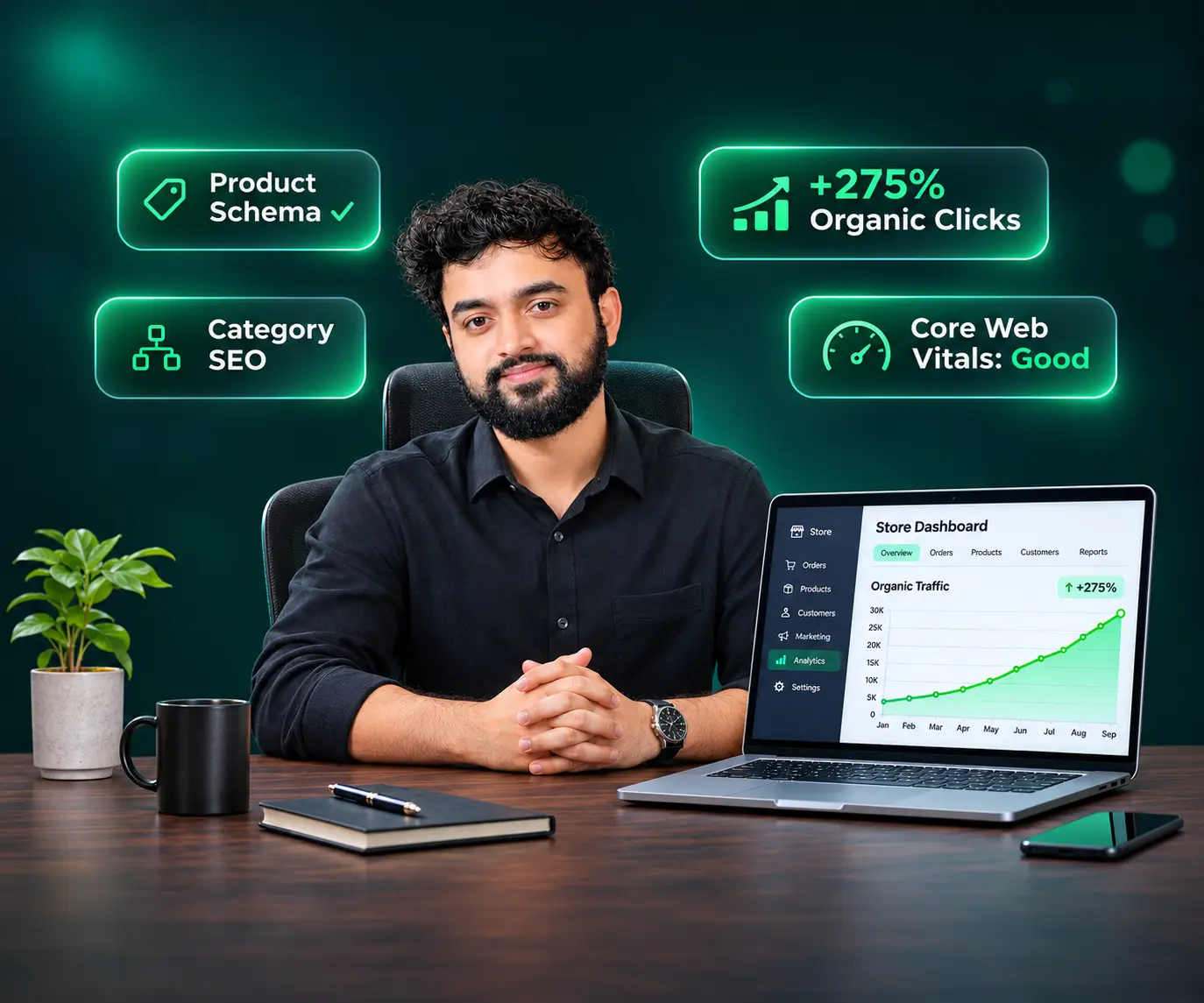
WooCommerce SEO services are professional optimization for online stores built on WooCommerce, the e-commerce plugin for WordPress. They cover product pages, category pages, product schema, duplicate URLs, site speed and technical fixes, so your products rank on Google and appear in AI answers. I’m Ibrahim Niloy, an SEO specialist with 7+ years of experience helping store owners turn search traffic into sales.
Below, you’ll see what’s included, how to fix product pages and duplicate content, what it costs and how WooCommerce compares with Shopify.
WooCommerce SEO services include a store audit, product and category page optimization, product schema, duplicate content fixes, speed work and sales tracking. The goal is to bring the right shoppers to product pages that convince them to buy.
A crawl, index, speed and content review of the whole store.
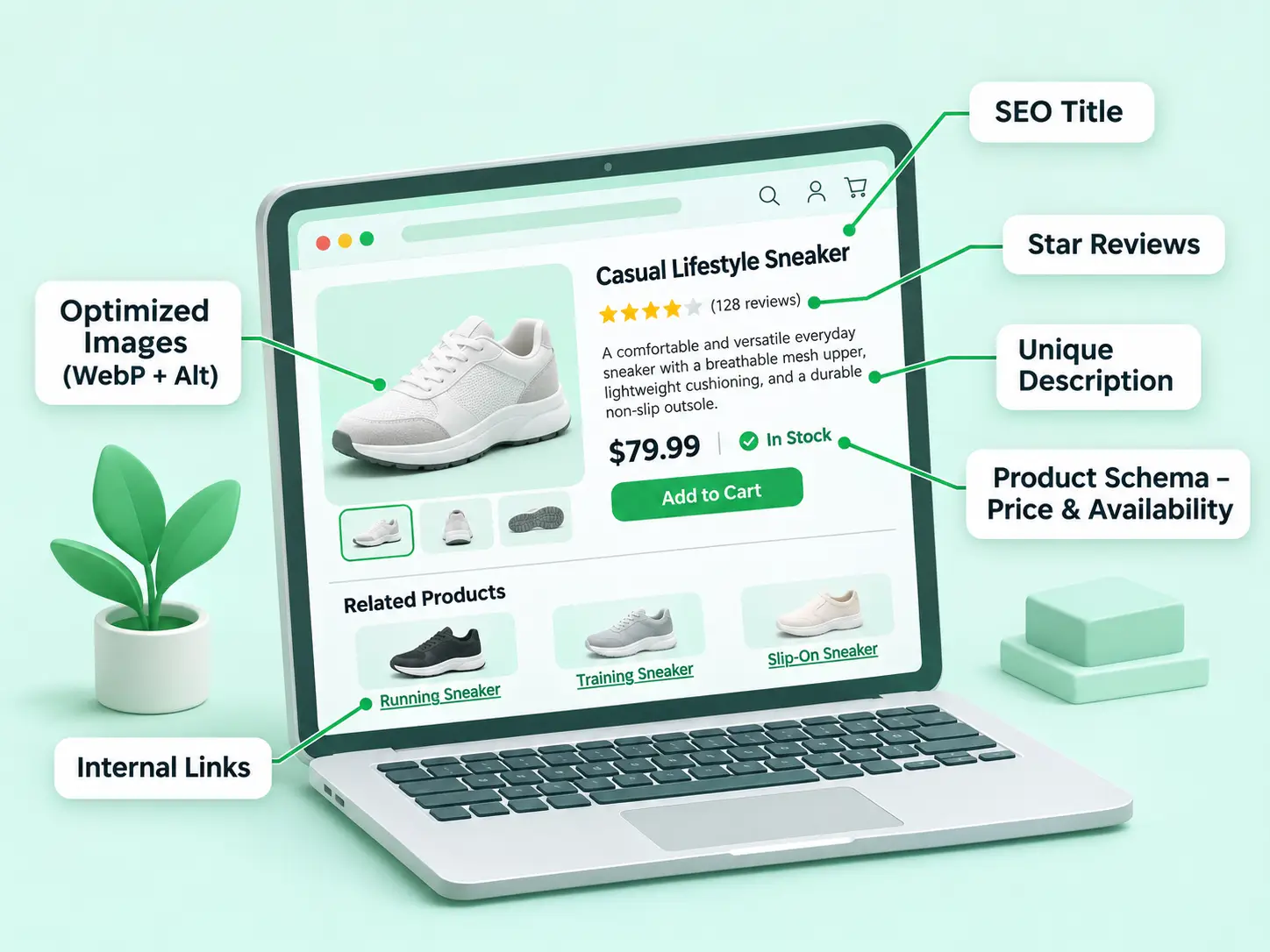
Titles, descriptions, images and reviews for each product.
Unique intros, headings and internal links for every category.
Price, availability and review markup for richer search results.
Filters, pagination, canonical tags, redirects and sitemaps.
GA4 e-commerce events and server-side tracking.
For non-store sites, see my WordPress SEO services. For crawl and speed problems, see my technical SEO services, and for accurate sales data, my server-side tracking for e-commerce.
Target the exact term buyers search, write a unique title and description, add product schema, optimize images, show reviews and link to the page from related categories. Copied manufacturer descriptions are one of the most common reasons I see product pages fail to rank.
Prefer to hand this off page by page? My on-page SEO services cover it.
Category pages often rank for broader searches than single products. Give each one a unique H1, a 100 to 150 word intro near the product grid, links to subcategories and a meta title that names the category. Keep thin filtered views out of the index.
Most WooCommerce duplicate content comes from filter and sorting URLs, thin tag pages, products reachable through several paths and copied descriptions. Fix it by blocking or canonicalizing filter URLs, keeping one URL per product, noindexing thin archives and writing unique copy.
Example: ?filter_color=red or ?orderby=price
Fix: Block crawling in robots.txt or canonicalize to the main category
Example: The same product under two category paths
Fix: Keep one product URL with a canonical tag
Example: A /product-tag/ page with two products
Fix: Noindex it or merge it into a category
Example: The same text as other stores
Fix: Rewrite each description
Google’s guidance on faceted navigation recommends blocking filter URLs in robots.txt when you don’t need them indexed, because they can create an almost endless number of pages to crawl.
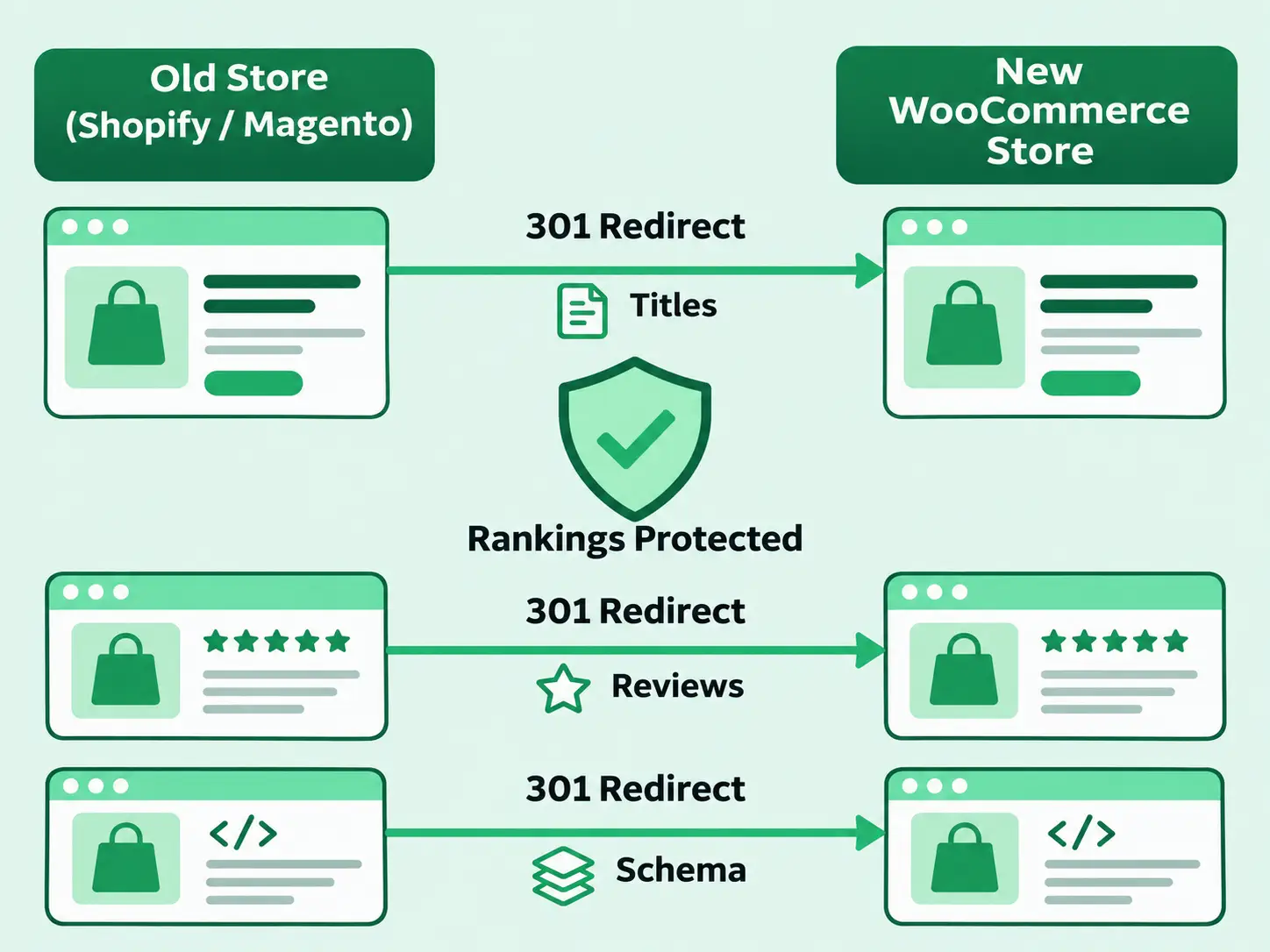
Moving to WooCommerce from Shopify or Magento, or switching themes, is a common point where stores lose traffic. As a WooCommerce SEO migration consultant, I map every old URL to its new one with 301 redirects, carry over titles, reviews and schema, then monitor indexing after launch.
WooCommerce gives you more SEO control, because you choose your URL structure, hosting and schema. Shopify is easier to run and hosts everything for you, but it fixes parts of your URLs, such as /products/ and /collections/. Choose WooCommerce for control and content, and Shopify for simplicity.
Running a Shopify store instead? See my Shopify SEO work, or my e-commerce SEO specialist page covering both platforms.
My WooCommerce SEO plans start at $340 per month. Every plan begins with an audit and a 90-day roadmap. Large catalogs or migrations may need a custom scope, and you always get a fixed quote first.
Best for: Small stores that need the basics fixed
Best for: Stores ready to grow product and category traffic
Best for: Stores that want SEO, AI search and conversion work together
Affordable WooCommerce SEO services shouldn’t mean shortcuts. I don’t sell bulk backlinks or guaranteed rankings. See my SEO pricing plans or my SEO services for small businesses.
I review crawling, indexing, speed, products, categories and schema, then rank issues by revenue impact.
You get a 90-day plan showing what gets fixed first.
I make the changes inside WordPress and WooCommerce.
You get monthly Search Console and GA4 reports in plain English.
I fix theme, plugin and speed problems myself.
Top Rated with a 100% Job Success Score. You can hire me on Upwork with payment protection.
A US client’s organic clicks grew 275% in three months, verified in Search Console. See more in my portfolio.
Rank Math, Yoast SEO and All in One SEO (AIOSEO) are the three most used SEO plugins for WordPress, and all three support WooCommerce. Between AIOSEO and Yoast, both work well. How you set the plugin up matters far more than which one you pick.
Yes, the core Yoast SEO plugin is free. Its store features come in a separate paid add-on, Yoast WooCommerce SEO, which adds extra product schema and shop-specific settings.
ChatGPT can draft product descriptions, suggest keywords and outline content. It can’t see your Search Console data, fix your server or earn links, and its drafts need fact-checking. Use it as an assistant, not a replacement for a WooCommerce SEO specialist.
It’s evolving. Google AI Overviews and tools like ChatGPT still pull answers from indexed, well-structured websites, so the basics matter as much as ever. Stores now also need clear brand details and answer-ready content. See my Google AI Overview optimization service.
On-page SEO covers product and category content. Technical SEO covers crawling, speed, duplicate URLs and schema. Off-page SEO covers links and brand mentions. Good WooCommerce SEO services need all three to grow organic sales.
If shoppers can’t find your products on Google, every other part of your store works harder than it should. My WooCommerce SEO services fix the pages, schema and technical issues holding your products back, then report results in plain numbers.
Start with a free discovery call, or book an audit and get a clear plan for your store.

Ibrahim Niloy is a Certified Full Stack Digital Marketer, WordPress developer and AI SEO specialist based in Milan, Italy. With 7+ years of experience, he provides WooCommerce SEO services, technical SEO, GEO, AEO and LLM SEO for online stores worldwide. He is a Top Rated freelancer on Upwork with a 100% Job Success Score. Learn more at ibrahimniloy.com.

Get exclusive digital marketing tips, growth strategies, and updates directly in your inbox.